

Shape. Plan. Refine. Execute.
Achieve Planner is three connected modules — Tasks, Habits, and Goals — built around one planning philosophy. Start with the method if you’re new; jump into a module guide when you need specifics.
A planning ladder, not a list
Most planners force a choice between two extremes:
Extreme #1: Over-scheduled false precision — every task must be scheduled with a hard date. Things that are supposed to happen months from now need to be nailed down to a specific timeframe (that is likely going to change), and you spend each week re-planning the overdue pile.
Extreme #2: Agile tasks that lose sight of the big picture. The alternative to detailed scheduling is to keep a loose list and have to continuously reevaluate the priority of every item on the list. It avoids the constant re-scheduling trap, but you never know when you can actually execute on complex tasks and projects.
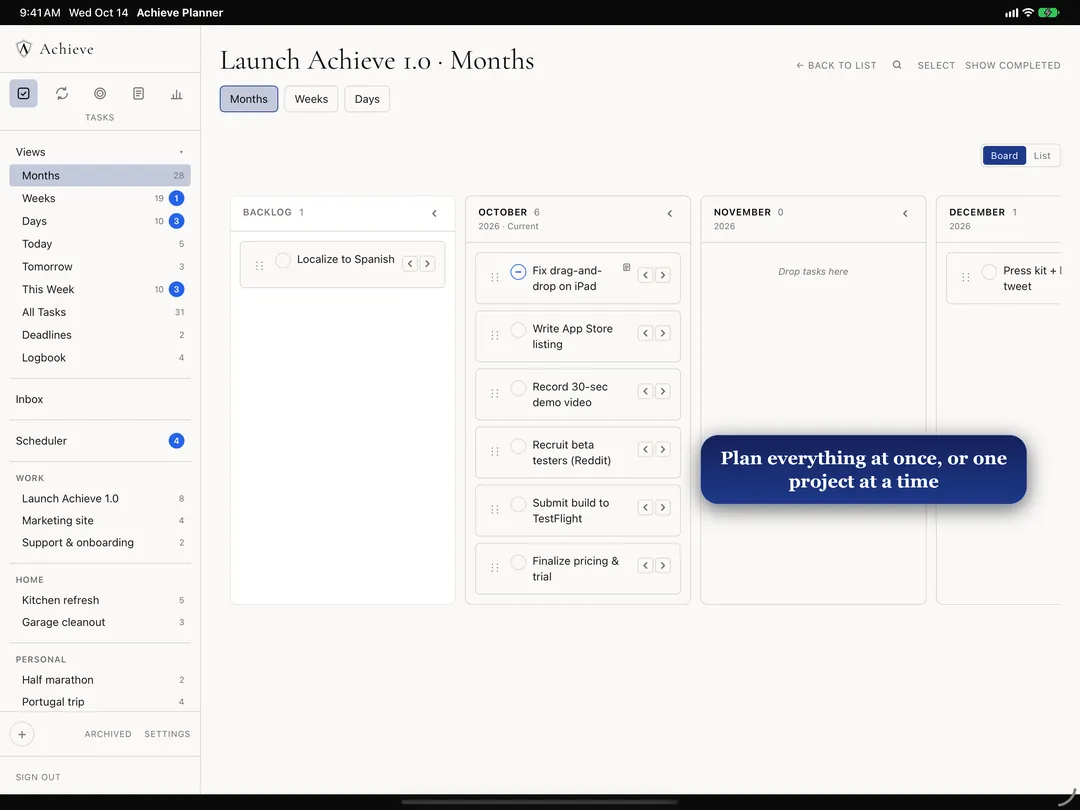
Achieve is the ladder between these two extremes — every task sits at the altitude that matches how far away it is, from a whole quarter down to a single time of day.
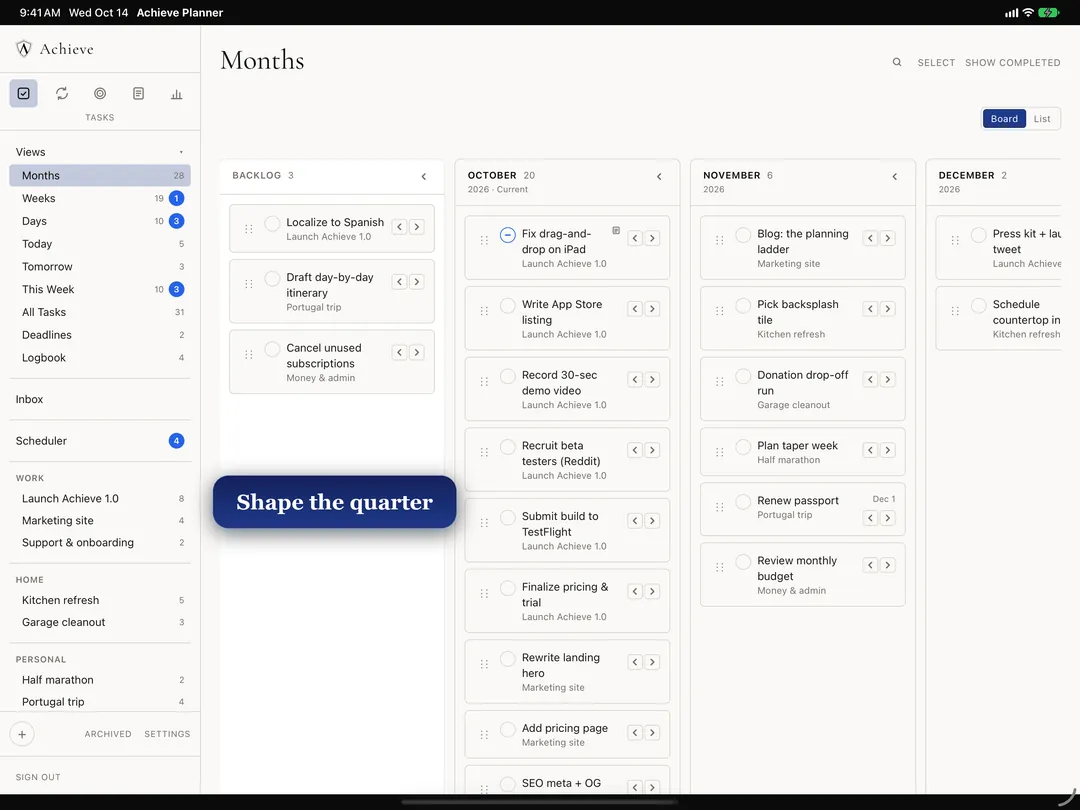
Commit to precision only when it’s real
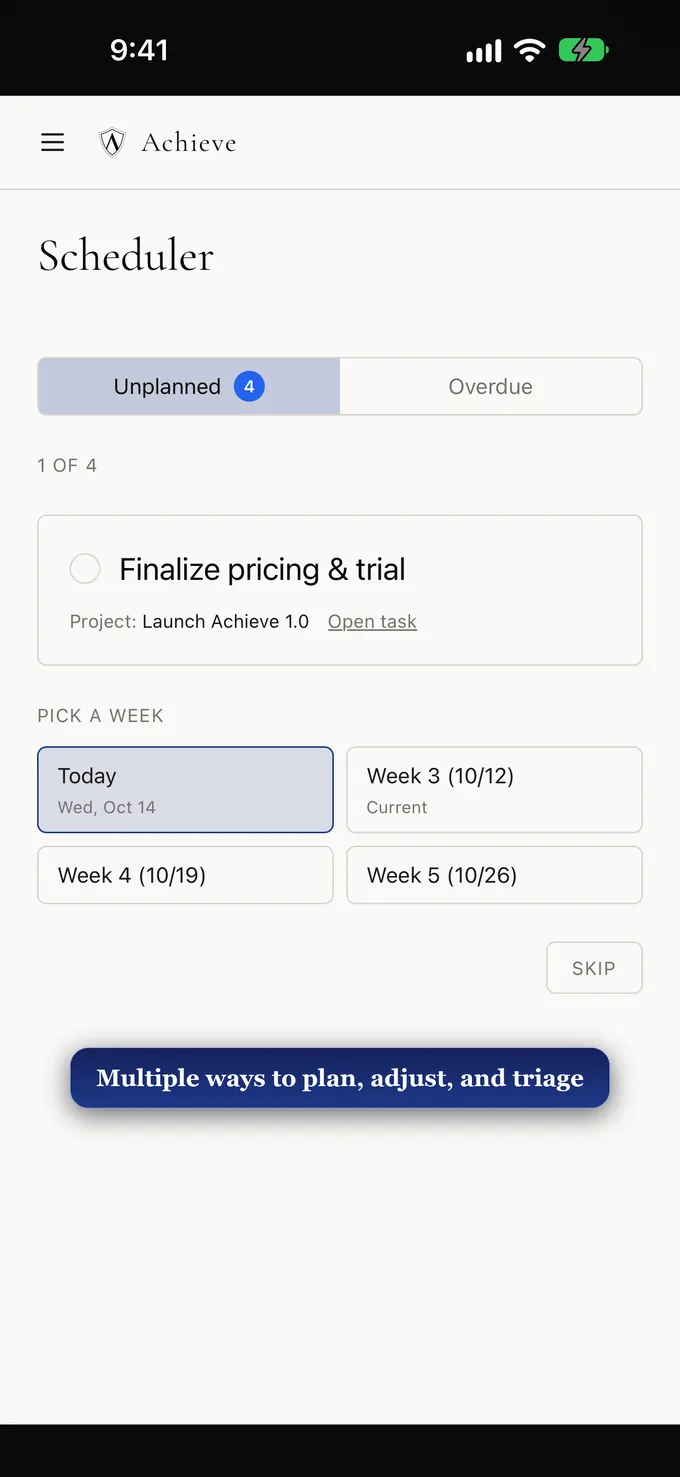
If a task doesn’t need to be considered until next month, that’s where it lands — no need to set an imaginary date you’ll just have to change later. The tasks that do need to happen in the near term get pulled down to the next rungs of the ladder — the week, and then the day. Less re-planning, and the long view keeps you from losing sight of future plans.
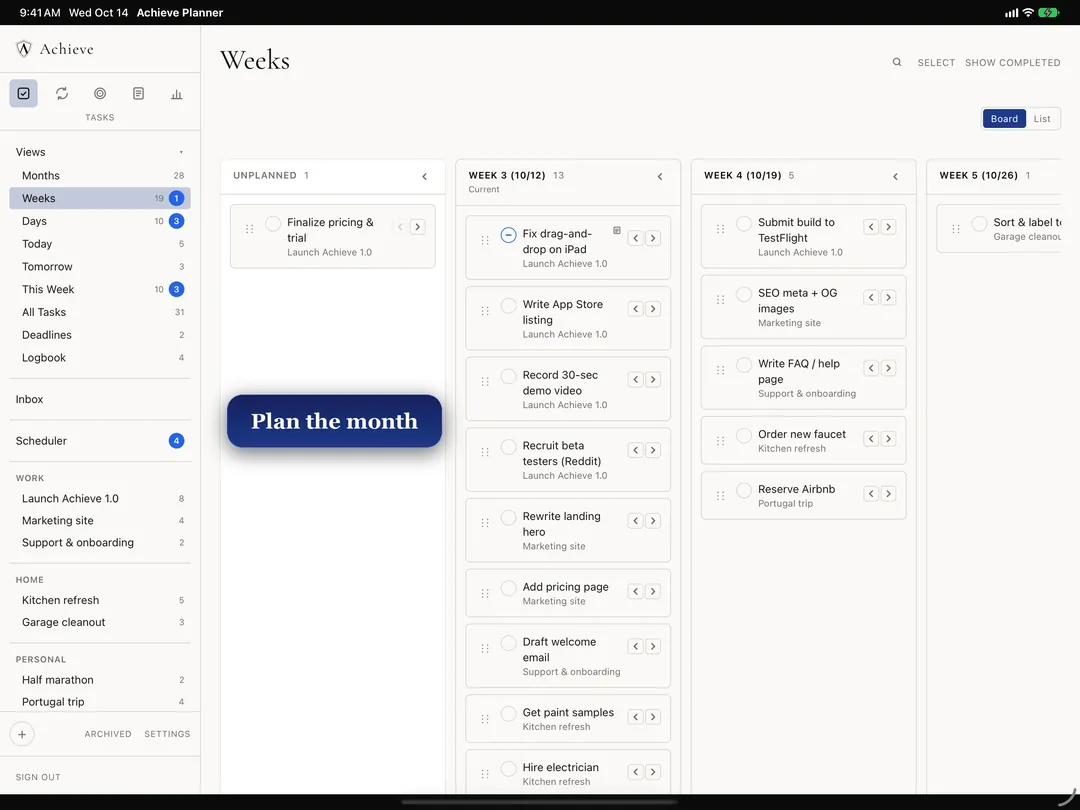
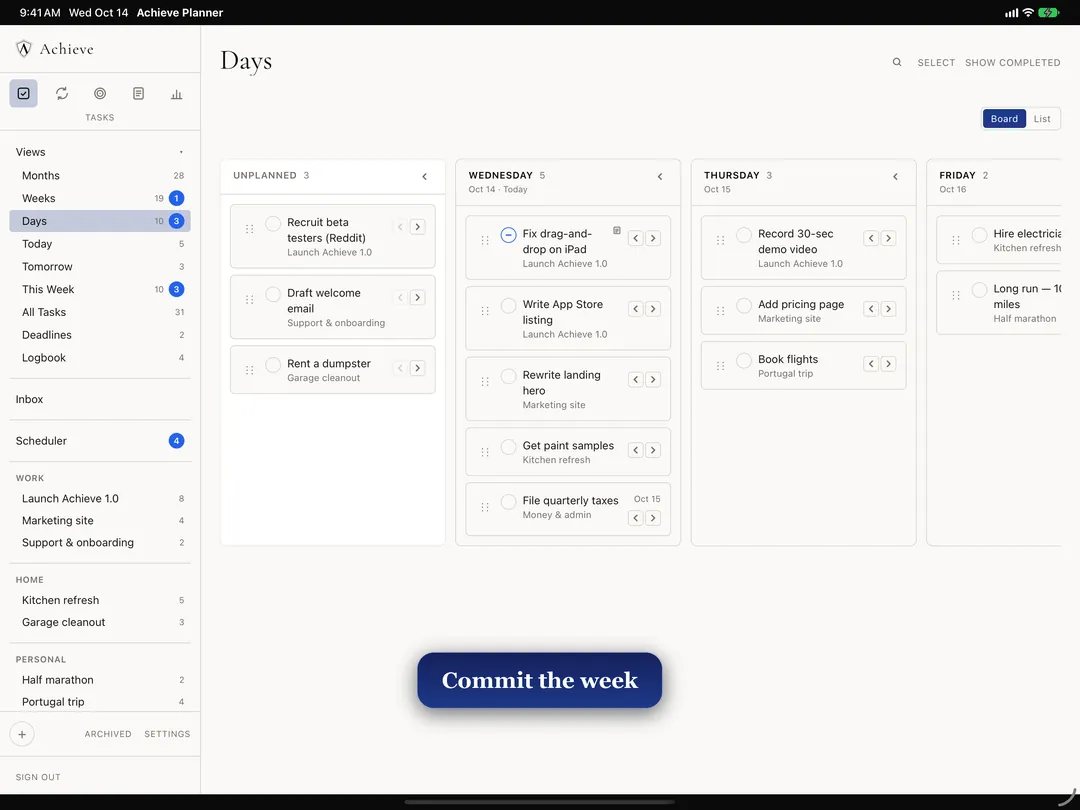
Down to the day
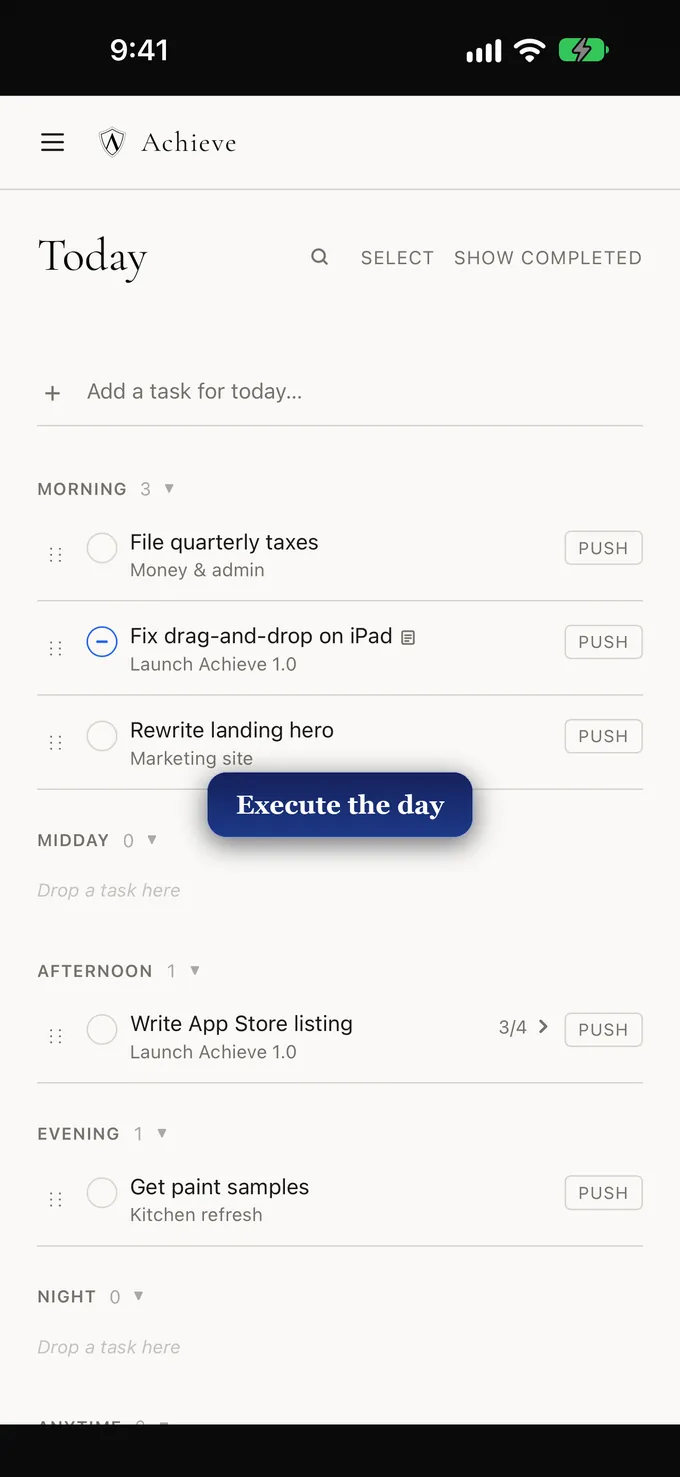
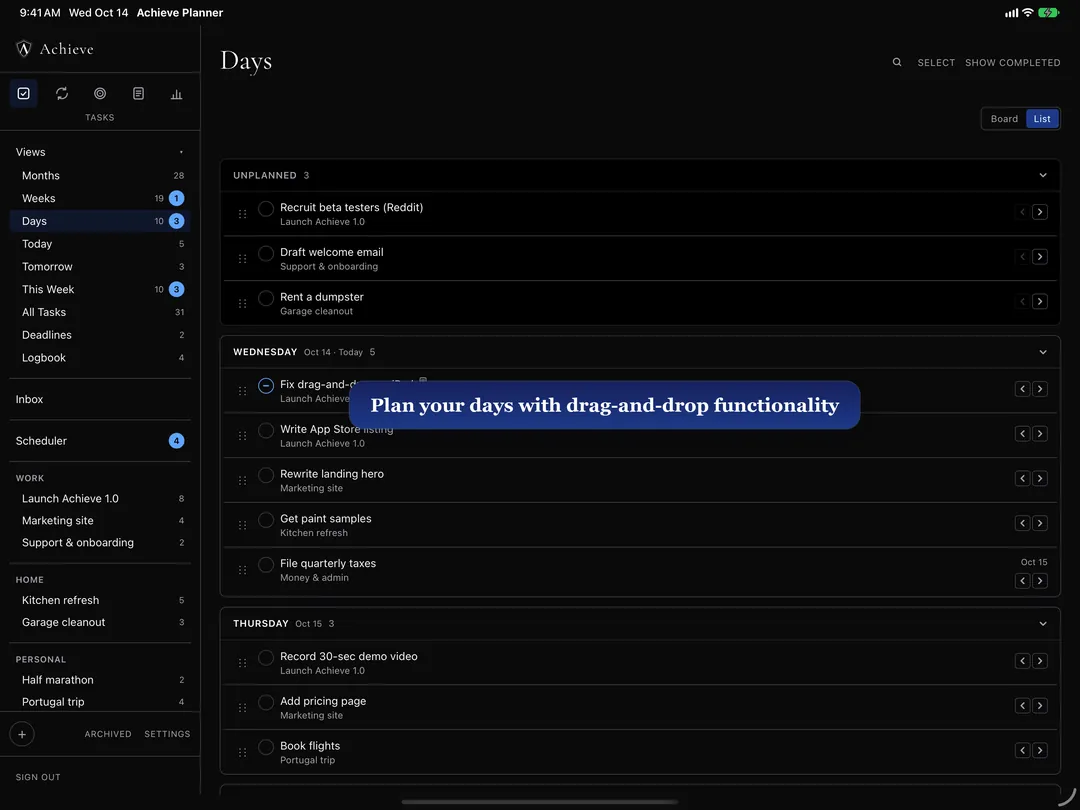
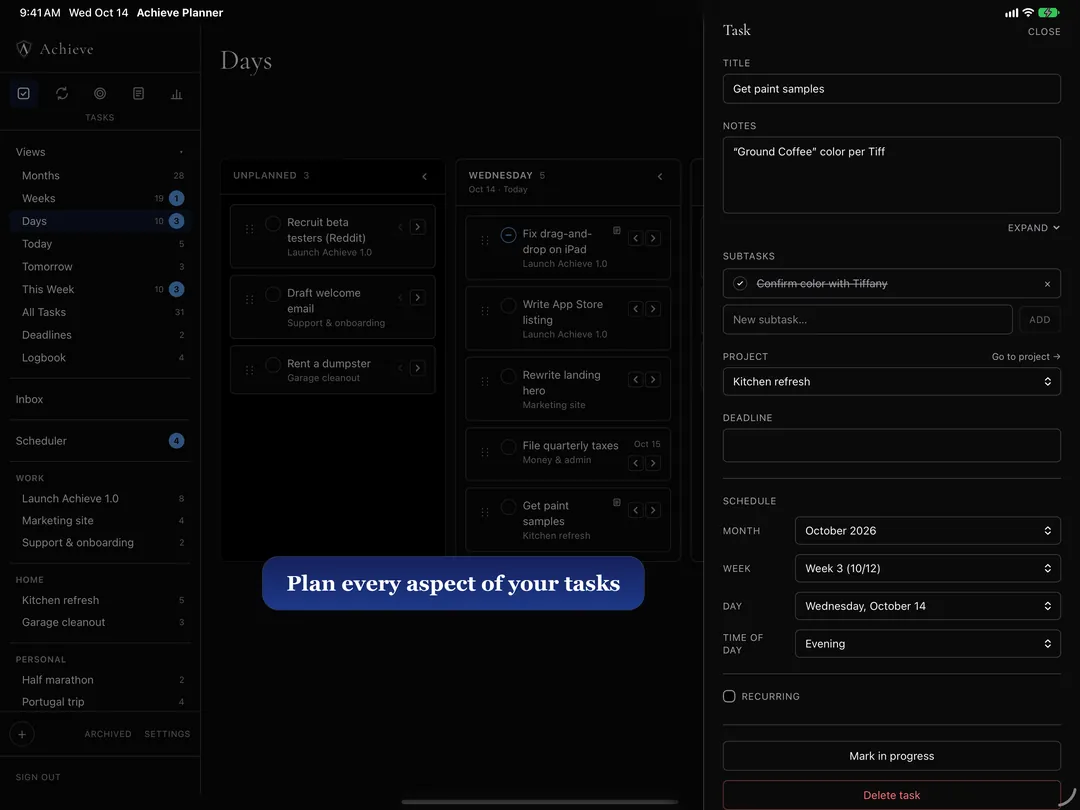
When work is finally here, it lands on a day — with a time of day, notes, subtasks, and everything scheduled in one place. Drag it where it belongs; nothing falls off the edge silently.
Habits with real units
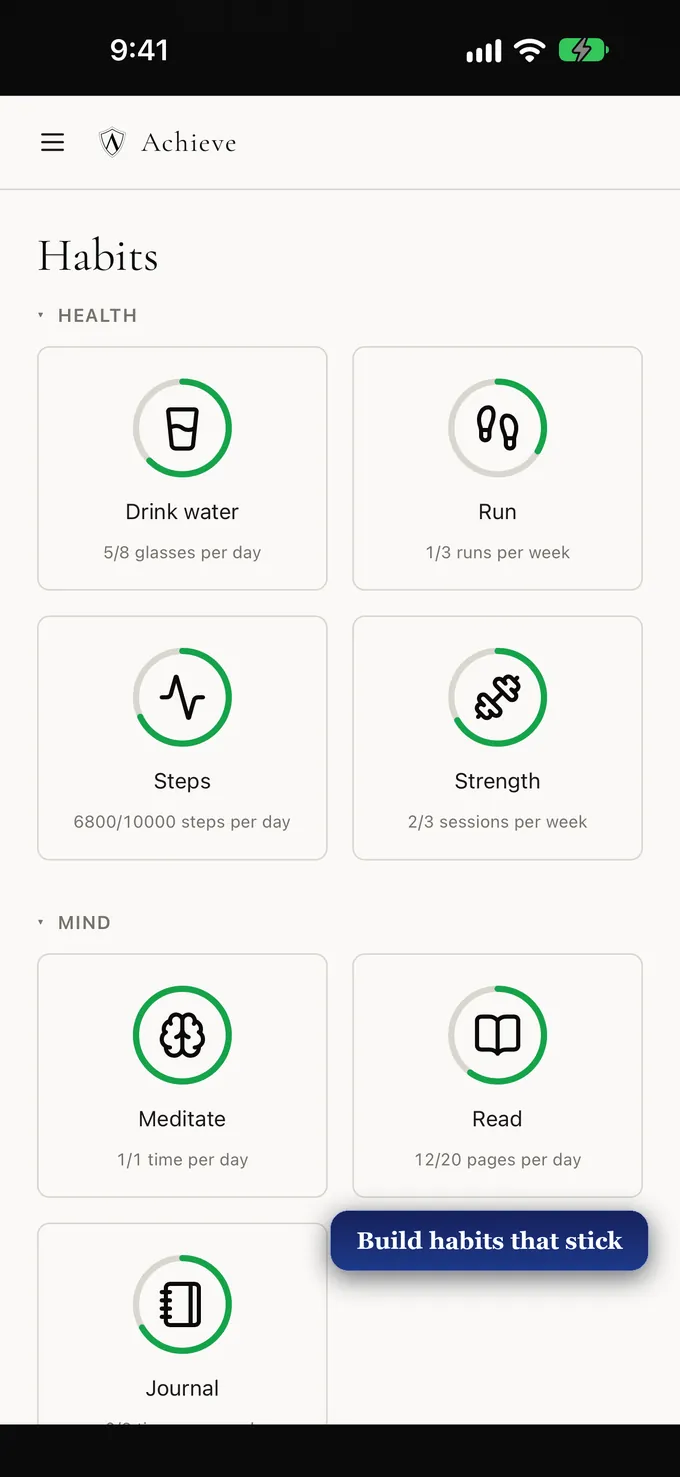
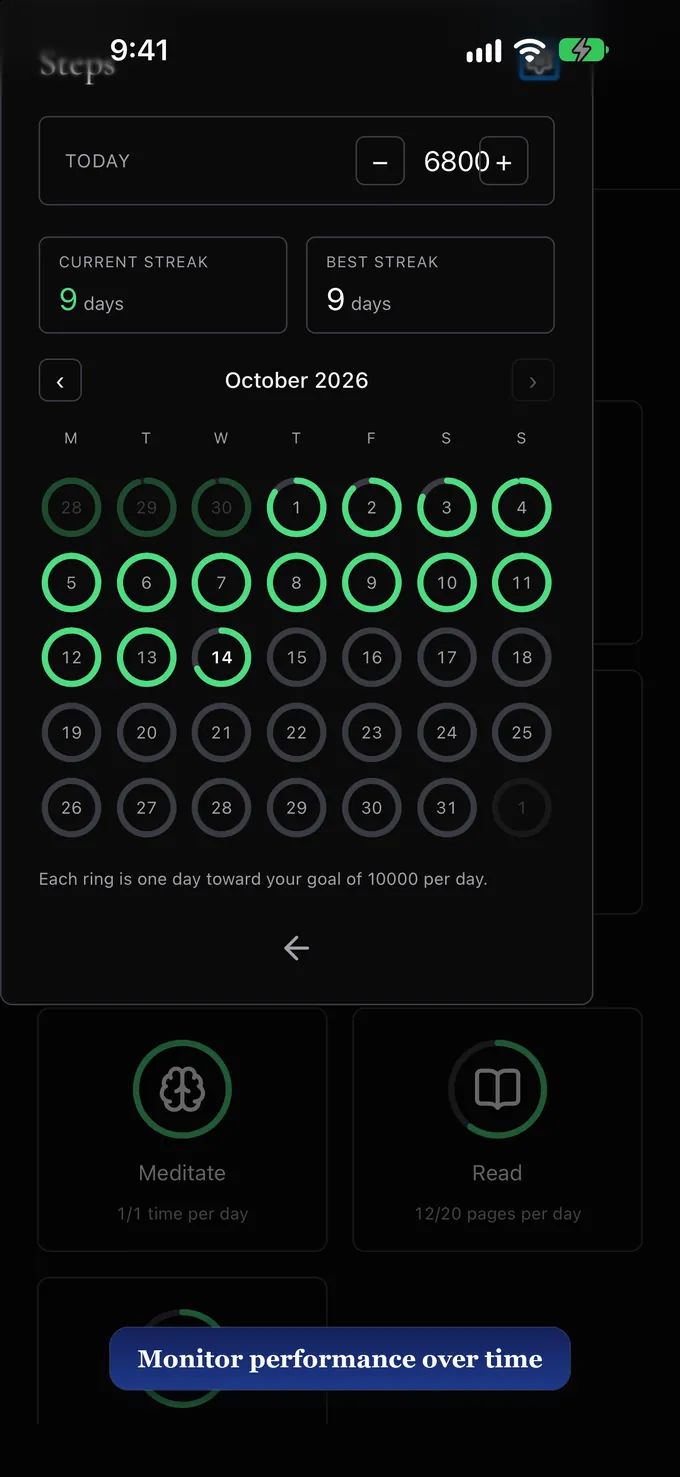
Habits track real quantities in the units you actually think in — glasses, pages, sessions — with one-tap logging, preset increments, and rings that reset on each habit’s own rhythm. Streaks and history keep you honest over time.
Goals wired to the work
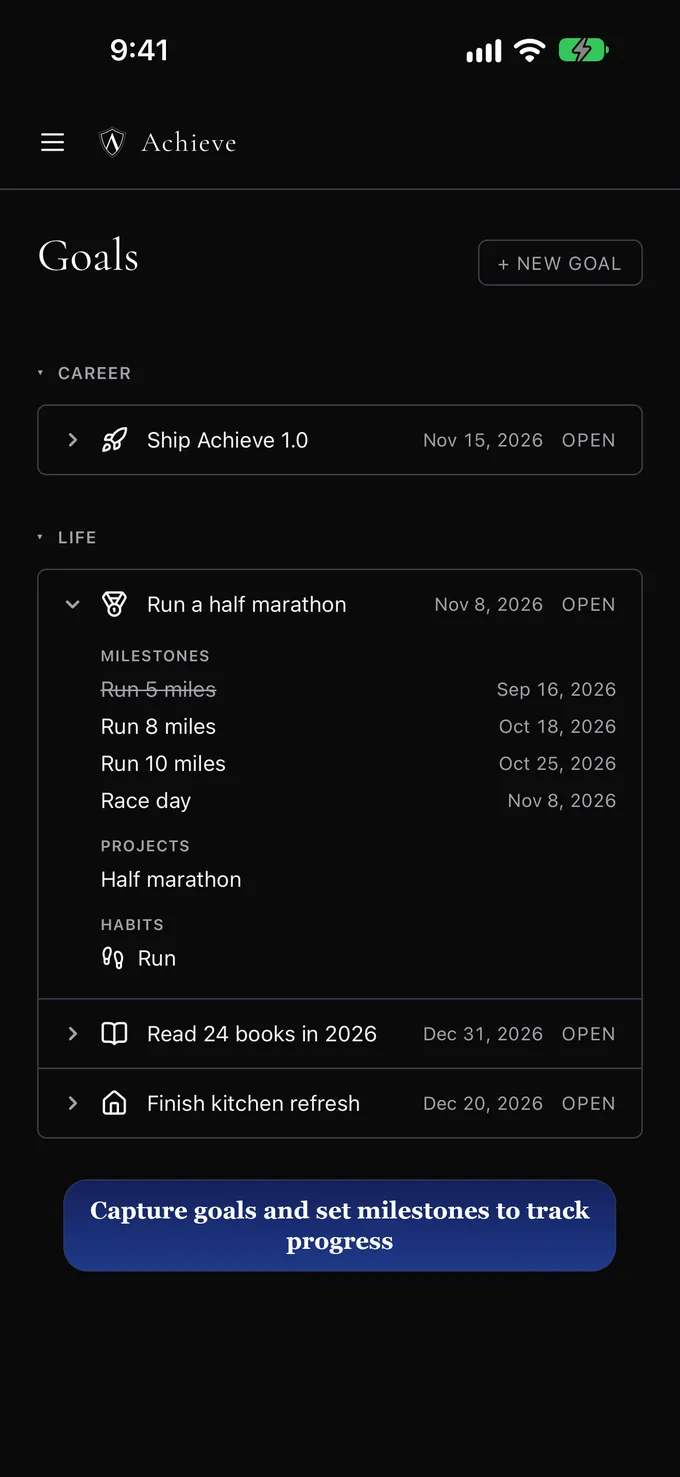
A goal isn’t a wish: it’s a due date, milestones, and links to the projects, habits, and tasks that get it done — all surfacing on your boards as the dates approach.
Available everywhere you sign in
Achieve runs as a native app on iPhone and iPad and in any modern browser on the web (achieveplanner.app) — including on a Mac or PC. Sign in with the same account on each, and it’s one planner: your tasks, habits, and goals live in the cloud, so anything you add or change on one device shows up on the others. Capture a task on your phone, refine your week on the iPad, review at your desk on the web — same data, always current. An internet connection is required, since Achieve reads and writes your data live.
Guides
- The Achieve Method — why plans narrow from month to week to day, and how the ladder keeps the long view honest.
- Tasks & planning — projects, areas, the planning ladder, kanban boards, the scheduler, recurrence, and subtasks.
- Habits — frequencies with real units, one-tap logging, increments, and completion rings.
- Goals & milestones — defining goals, linking them to real work, and watching due dates surface on your boards.
- What’s coming — the features on deck, from sections and board filters to widgets and the Notes and Dashboards modules.
Need help?
Questions, bugs, or ideas: support has the answers to common questions and the address to reach a human.